
Keep personal data from leaving as-is
Supported names, contact details and identifiers are protected on the device before sending, then shown normally again in the response.
ENTERPRISE AI, WITHIN COMPANY POLICY
Let people keep the AI and subscriptions they already use. Before data leaves the device, protect personal and business context, then allow only approved accounts, models and regions.
The screens below are captured from the actual thread0 Enterprise admin console with representative organization data.
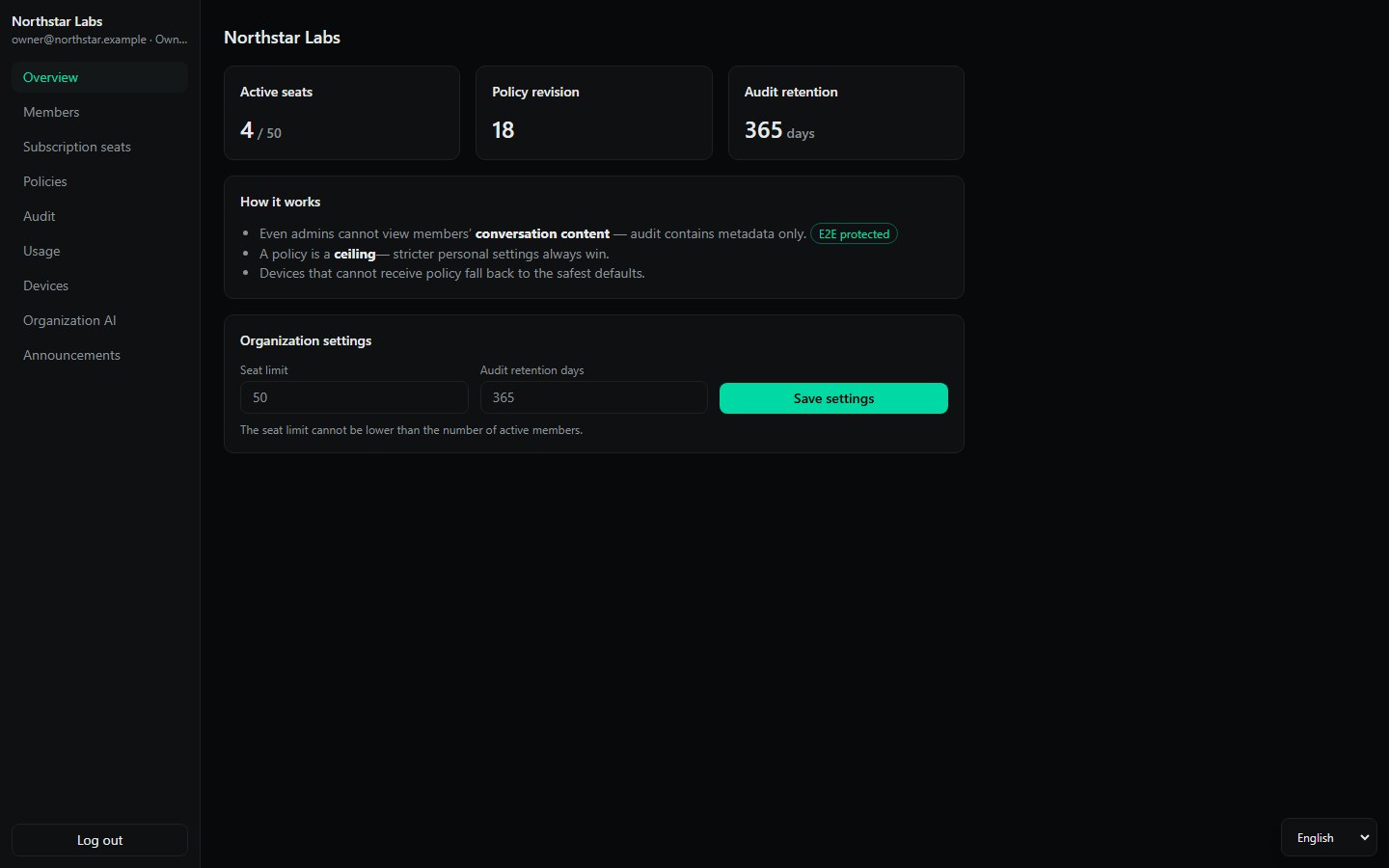
PEOPLE AND SUBSCRIPTIONS
Manage members, roles and company-purchased Claude Team or OpenAI Business seats. The console stores assignment state—not passwords, cookies or provider tokens.
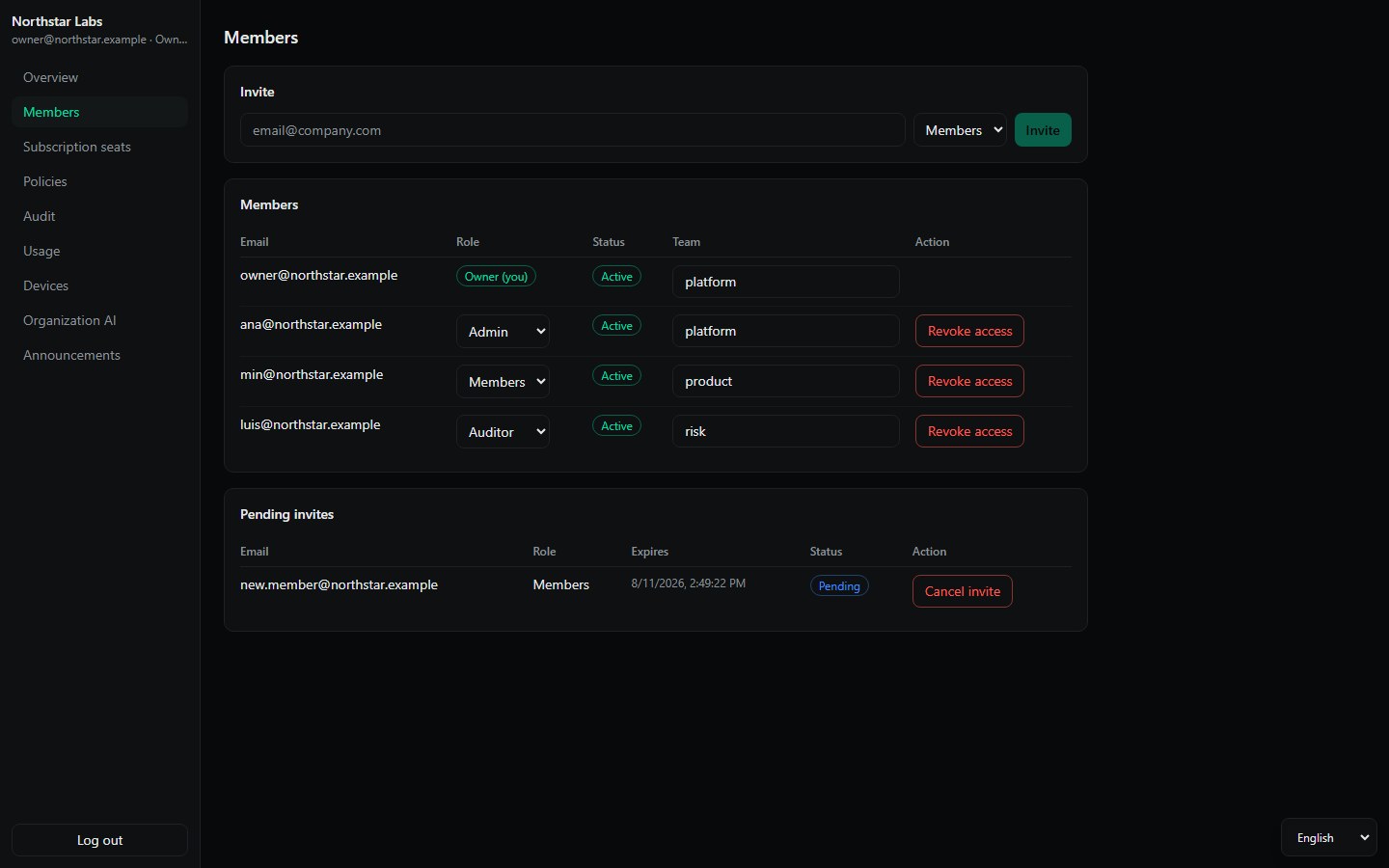
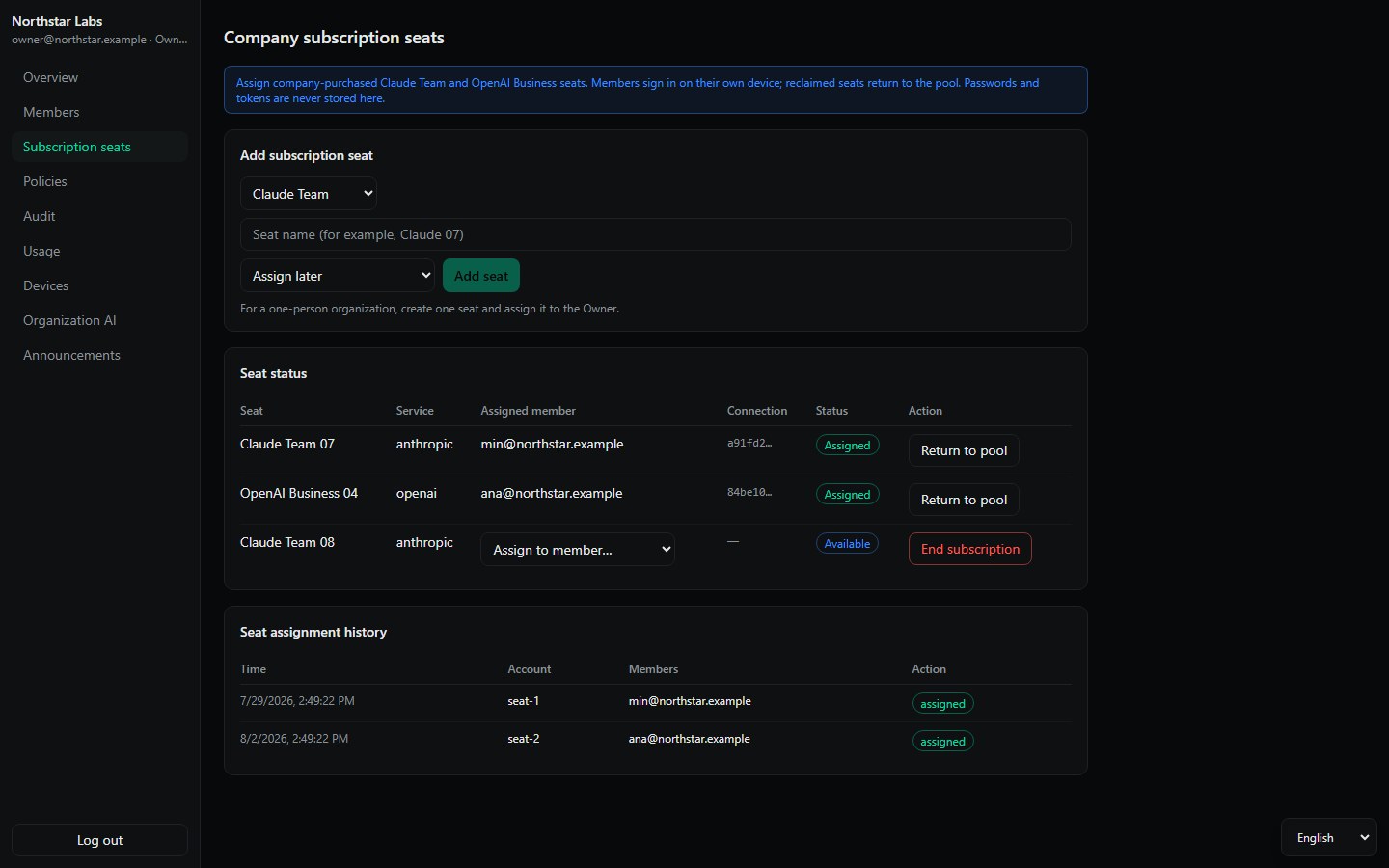
Operational boundary: reclaiming a thread0 seat stops new organization sessions. Cancel or revoke the upstream provider seat in that provider’s own admin console.
SIGNED POLICY
Set ceilings for permissions, engines, security checks, workspace roots, MCP destinations, remote shell, versions, model families, regions and usage. Personal settings can be stricter, never looser.
Supported names, contact details and identifiers are protected on the device before sending, then shown normally again in the response.
Your team chooses which customer, product and project terms to hide, so protection follows the work instead of relying on employees to remember every rule.
Web pages and attachments stay reference material. A hidden instruction cannot turn into file access or command execution without the allowed scope and approval.
A required check never becomes “send anyway.” thread0 stops the request, explains why and leaves the decision to the right person.
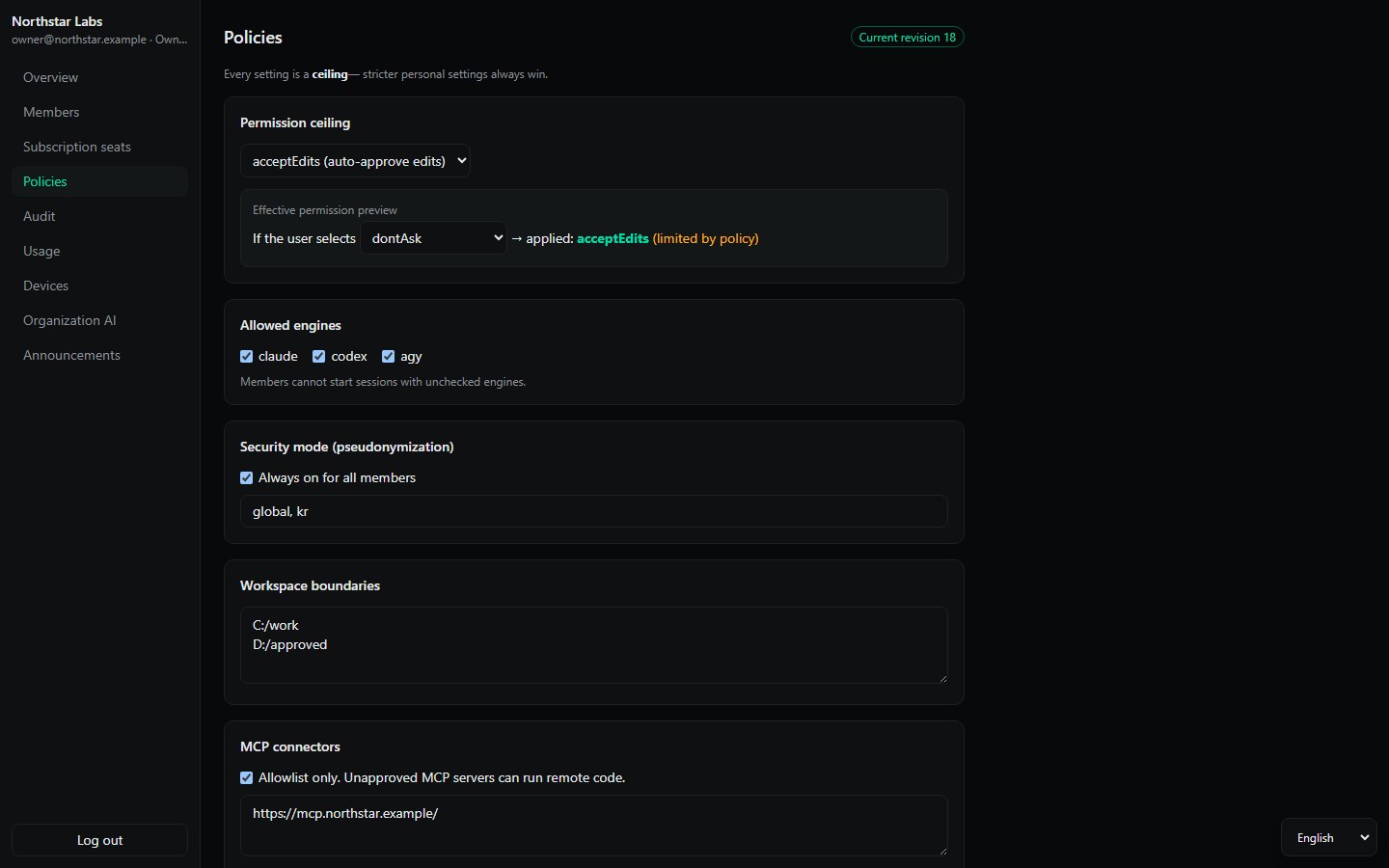
01Signature verifiedDesktop enforcement accepts only signed, monotonic policy revisions.
02Safe on failureA device that has never received policy starts from the safest defaults.
03Local security gateRequired PII and context checks block the turn if they cannot complete.
Pseudonymization and masking reduce exposure before an approved provider receives the request. They do not automatically remove every privacy or cross-border transfer obligation.
VISIBILITY WITHOUT SURVEILLANCE
Audit policy decisions and security events, then understand usage by member and model family. Conversation text and local work content are not collected.
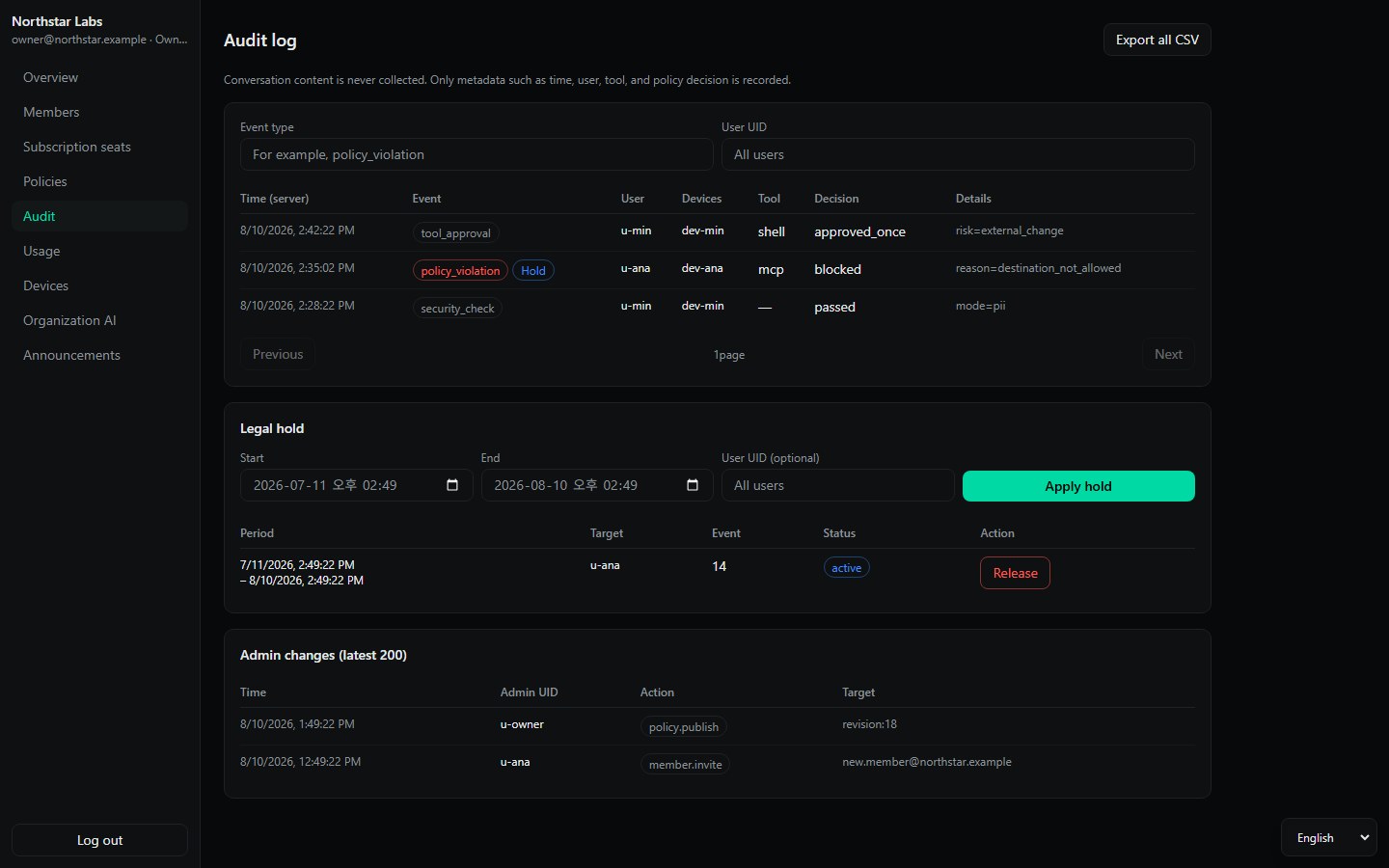
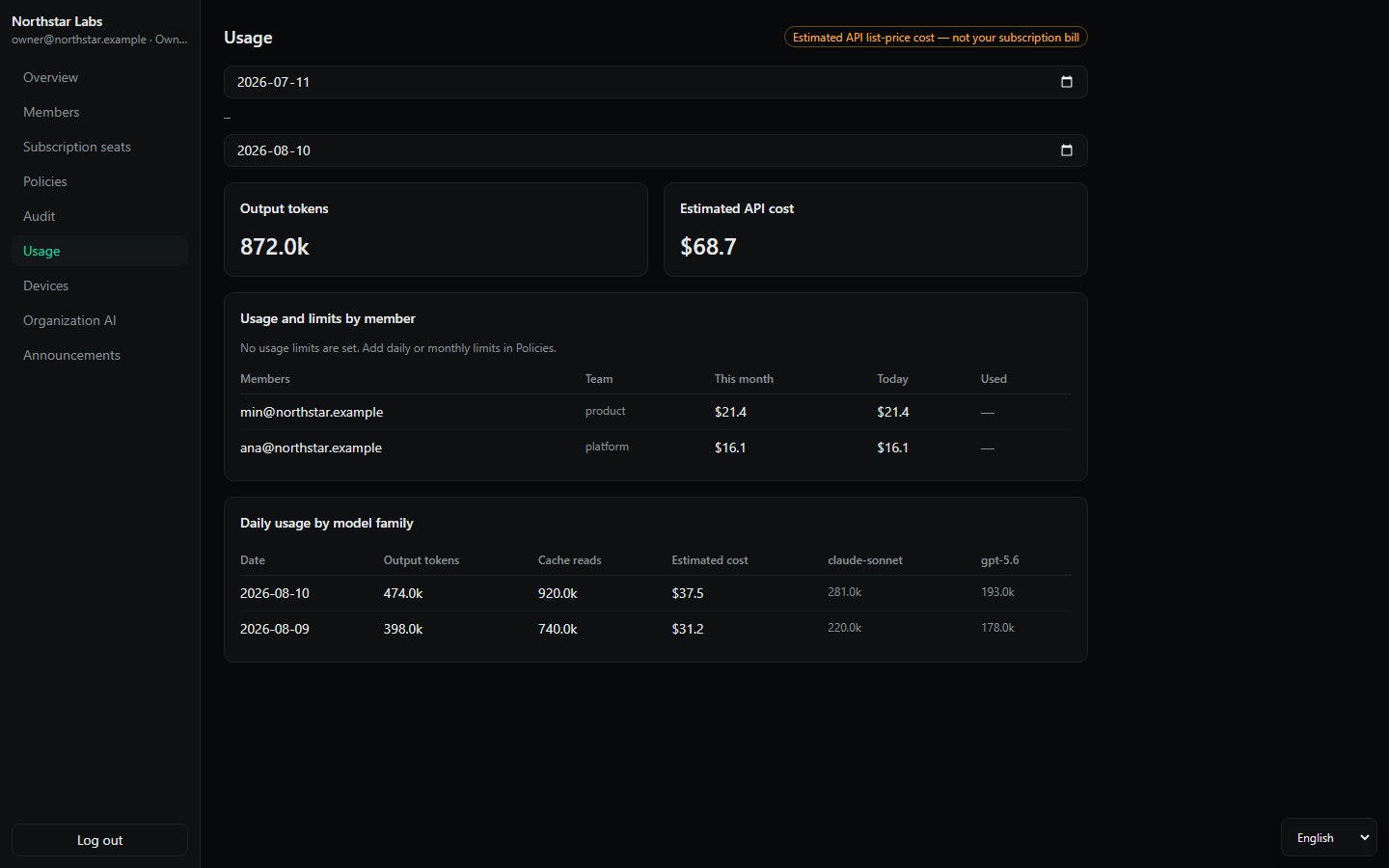
Seat, user ID, provider route, model family, time, usage, estimated cost, device posture, policy revision and enforcement event.
Prompts, responses, conversation history, files, command content, provider credentials, profile directories or local project paths.
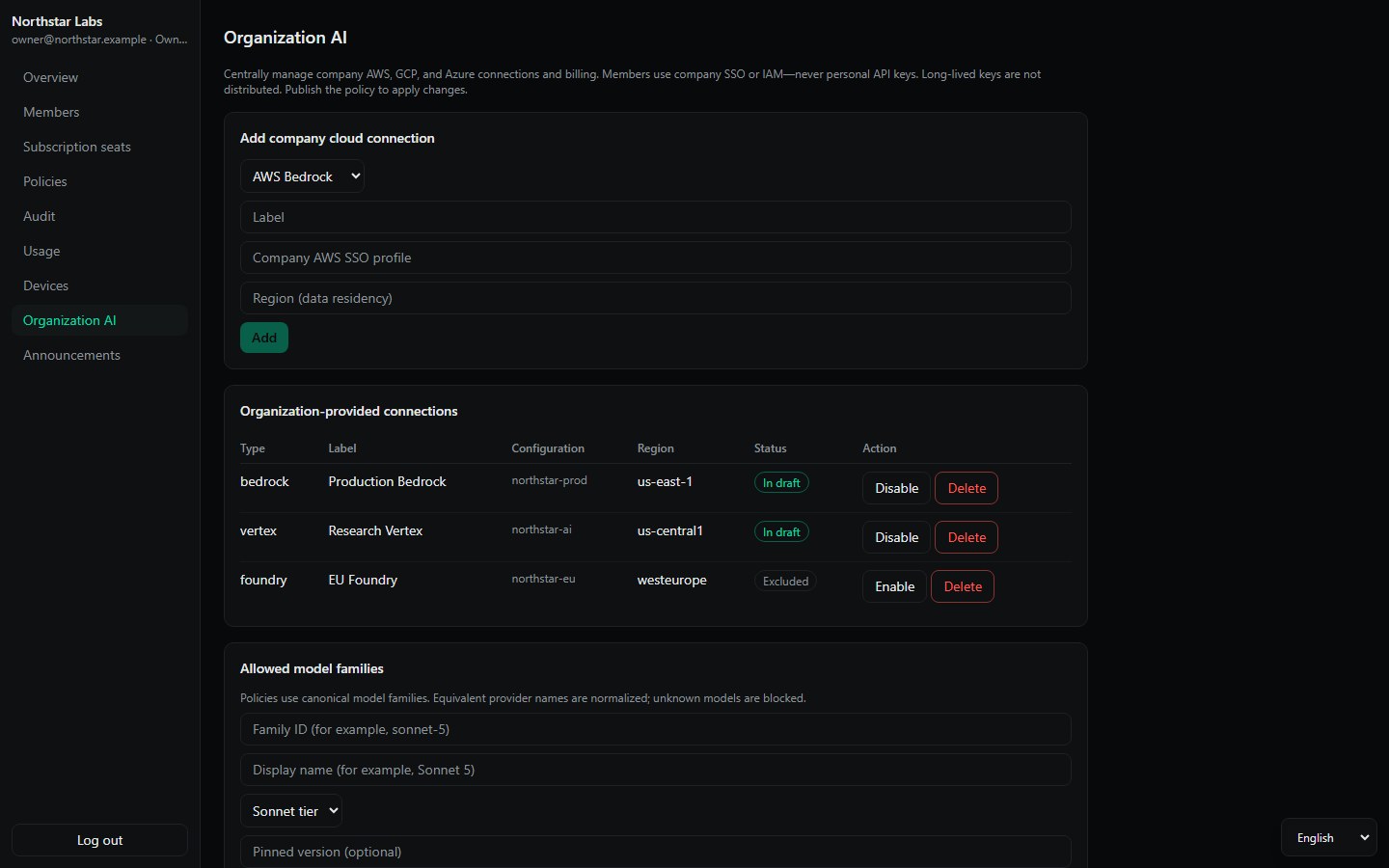
CLOUD CHOICE AND DATA RESIDENCY
Connect AWS Bedrock, Google Vertex AI, Azure AI Foundry and explicitly approved compatible gateways. Members use organization SSO or IAM on their device; long-lived keys are not distributed through policy.
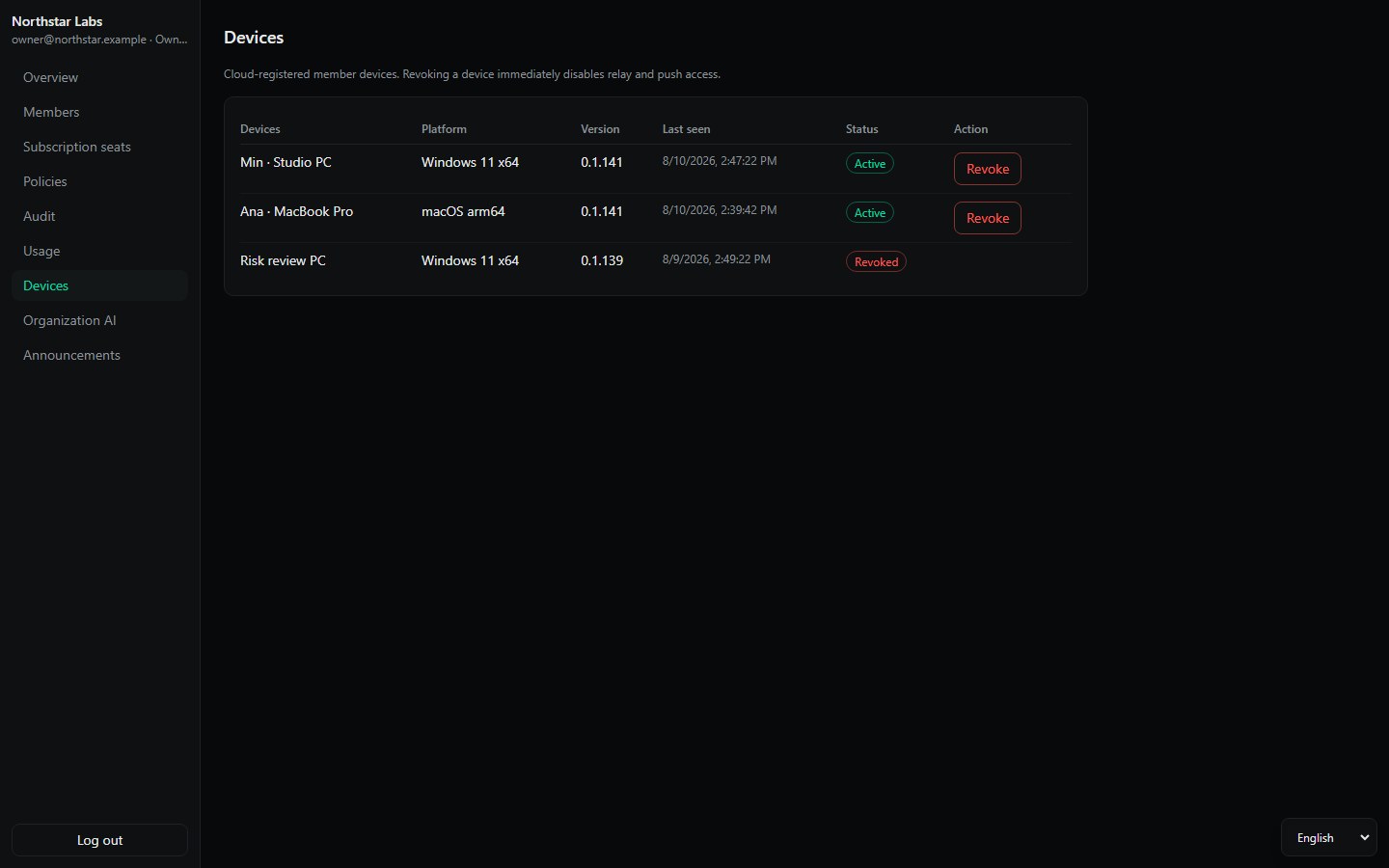
DEVICE AWARENESS
Track app version, platform, presence and policy state, then cut relay and push access for a lost or retired device. These are actionable signals—not a claim of hardware remote attestation.
BEFORE YOU ROLL OUT
It manages members, thread0 seats, approved AI and cloud routes, regions, permission ceilings, devices, usage and security-policy events from one console.
No. Administrators see operating metadata such as the member, route, model family, time, usage and policy result—not prompts, responses, files or command content.
Yes. The company manages seat assignment while each employee signs in directly with the provider on their own device. Provider passwords, cookies and tokens are not centralized.
Supported personal data and company-defined customer, product and project terms are protected on the device before transfer. Required checks block the request if they cannot finish.
It can restrict approved providers, model families and regions and reduce exposure before transfer. Legal obligations and provider contracts still require review during rollout.
ADOPT AGENTS WITHOUT LOSING THE BOUNDARY
Bring a team, its existing provider seats and its cloud accounts. We will map the rollout boundary before the first organization policy is published.